
Lotus365 Withdrawal – How to Withdraw Money From Your Wallet
How Do I Withdraw Money From Lotus365?
Log in to your Lotus365 account, go to Wallet, My Account, or Cashier, and tap Withdraw. Choose your payout method, enter the amount, confirm your bank or UPI details, and submit the request. Standard Lotus365 accounts have a minimum withdrawal of ₹300. Lotus365 Blue, Lotus365 VIP, and Lotus365 Win accounts have a lower minimum of ₹100. No KYC document upload is required a correctly entered, valid bank detail is what verification is based on.
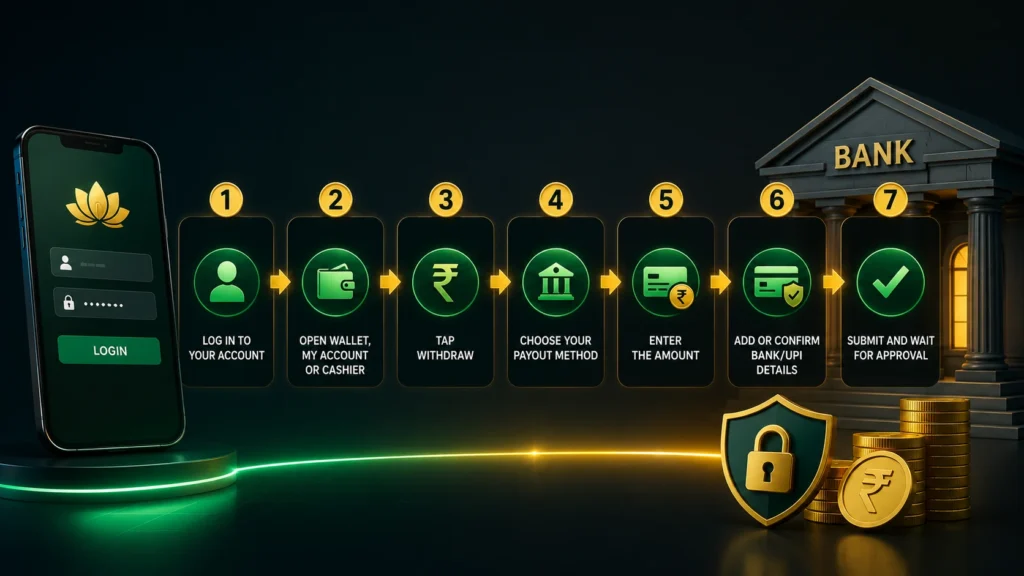
Simple Withdrawal Flow
- Log in to your account
- Go to Wallet, My Account, or Cashier
- Tap Withdraw
- Choose your preferred payout method
- Enter the amount you want to withdraw
- Add or confirm your bank/UPI details
- Submit the request and wait for approval
loginNot logged in yet? See the full Lotus365 Login first. New here? Check the Lotus365 Register.
Step-by-Step Withdrawal
Lotus365max.comStep 1 – Log In to Your Account Open the official lotus365max.com website or app and log in with your registered Lotus 365 ID and password.
Step 2 – Open Wallet, My Account, or Cashier Navigate to the Wallet, My Account, or Cashier section from your dashboard — this is where your balance and transaction history live.
Step 3 – Tap Withdraw Select the Withdraw option to begin your payout request.
funds,Step 4 – Choose Your Payout Method Select how you’d like to receive your funds typically UPI or bank transfer, depending on what’s available on your account.
Step 5 – Enter the Amount Enter the amount you want to withdraw. Make sure it meets the minimum for your account type (see below) and doesn’t exceed any daily limit shown.
Step 6 – Add or Confirm Bank/UPI Details Enter your bank account details or UPI ID if this is your first withdraw, or confirm your saved details if you’ve withdrawn before. Double-checking every incorrect detail is one of the most common reasons a withdraw fails or gets delayed.
Step 7 – Submit and Wait for Approval Submit your request. Your withdraw is reviewed and processed, and funds are sent to your confirmed bank or UPI account once approved.
Minimum Withdrawal Limits by Platform
| Platform | Minimum Withdrawal | Extra Features |
|---|---|---|
| Lotus365 (Standard) | ₹300 | Standard sportsbook & casino access |
| Lotus365 Blue | ₹100 | Lower withdrawal limit, faster support, tournament-focused sessions |
| Lotus365 VIP | ₹100 | Lower withdrawal limit, unlimited withdrawals, priority support |
| Lotus365 Win | ₹100 | Lower withdrawal limit, quick deposits, fast payout queue |
Want a lower minimum withdrawal and fewer restrictions? Lotus 365 Blue, Lotus 365 VIP, and Lotus 365 Win all offer a reduced ₹100 minimum along with unlimited withdrawals, quicker deposit processing, and faster-response support a meaningful upgrade if you withdraw frequently or in smaller amounts. Learn more on the Lotus365 Blue.
Do You Need KYC to Withdraw From Lotus365?
No separate KYC document upload is required to withdraw. What’s required instead is valid, accurate bank or UPI details entered at the time of withdrawal this is what’s checked before a payout is approved. Make sure the name and account details you enter are correct and active in your name, as mismatched or invalid details are the most common reason a withdraw is rejected or delayed.
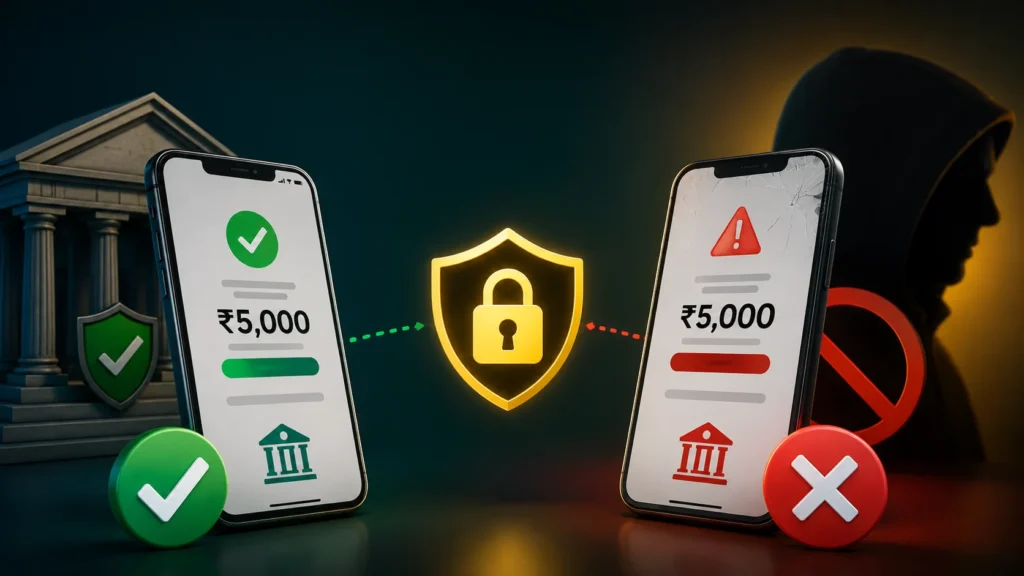
Important: Fake Payment Screenshots Will Get Your Account Blocked
Some users attempt to submit fake or edited payment screenshots during deposit or withdrawal disputes to falsely claim a transaction that didn’t happen. This is taken seriously:
- Every screenshot and transaction claim is verified against the actual payment gateway and bank records
- If a fake or manipulated screenshot is detected, the account will be blocked; this applies regardless of prior account history or withdraw amount
- Only submit genuine, unedited proof of payment if you’re ever asked to provide one
- If you have a real dispute, contact Lotus365 support with accurate, unaltered transaction details — support can trace real transactions on their end regardless of the screenshot
This policy protects the wallet system for everyone, and it’s enforced consistently.
Withdrawal Processing Time
- Withdrawal requests are typically approved and processed within the standard processing window during business hours
- Bank and weekend processing can add delay bank transfer payouts submitted late on a Friday or over a weekend often complete on the next business day, since this depends on your bank’s own processing schedule, not just Lotus365
- If your withdrawal is taking noticeably longer than usual, contact Lotus365 support with your withdraw request ID or reference number
Common Withdrawal Problems & FAQs
Why was my withdrawal request rejected?
A rejection is most often caused by incorrect or mismatched bank/UPI details, an amount below the minimum (₹300 standard / ₹100 on Blue, VIP, and Win), or details that don’t match the name on your account. Double-check your entered bank details and resubmit, or contact support if the details are correct and it was still rejected.
My withdrawal was marked successful, but I haven’t received it in my bank.
This is usually a bank-side processing delay rather than a lost payment bank transfers can take additional time to actually land even after being marked as sent. Wait for the standard processing window to pass, check your bank statement (not just SMS alerts, which can lag), and if it still hasn’t arrived, contact support with your transaction reference number.
Why is my payout delayed due to bank or weekend processing?
Banks don’t process transfers outside business hours or on weekends and public holidays. A withdraw submitted Friday evening, for example, may not complete until the next business day—this is standard for bank transfers industry-wide, not specific to Lotus 365.
I entered the wrong UPI ID or bank details. What do I do?
Contact support immediately, before the withdrawal is processed if possible. If funds were already sent to incorrect details, recovery depends on your bank and may not be guaranteed this is why double-checking every digit before submitting is critical.
My KYC isn’t completed or verified can I still withdraw?
Standard withdraw doesn’t require a separate KYC document upload; what matters is that your bank/UPI details are valid and correctly entered. If your withdrawal is specifically blocked for a verification reason, contact support to confirm exactly what’s needed for your account.
My withdrawal amount is below the minimum or above the daily limit.
The minimum withdraw is ₹300 on standard accounts or ₹100 on Lotus365 Blue, VIP, and Win. If you’re hitting a daily limit, check the limit shown in your Wallet section Blue, VIP, and Win accounts carry a reduced limit structure with more flexibility for frequent withdrawals.
A bonus or wagering condition is blocking my payout.
Bonus funds carry wagering requirements that must be cleared before a related withdrawal is approved. Check the terms attached to any active bonus in your account, and see the full Lotus365 Terms & Conditions for how wagering requirements apply to withdrawals.
My transaction is stuck in pending or processing.
Most pending withdraw clear within the standard processing window. Avoid submitting a second withdrawal request while one is still pending, as this can create confusion in the queue. If it remains pending well beyond the normal window, contact support with your request reference number.
My funds were reversed back to my wallet after a timeout.
If a withdrawal isn’t completed within its processing window often due to a bank or gateway issue on the receiving end — funds are returned to your Lotus365 wallet rather than being lost. You can safely resubmit the withdraw once you’ve confirmed your bank/UPI details are correct.
There seems to be a bank server or payment gateway issue.
Occasionally delays originate from your bank’s server or the payment gateway rather than Lotus365 itself. If this is suspected, avoid retrying repeatedly—contact support with your reference number so the transaction can be traced on the backend.
Withdrawal Security Tips
- Only ever request withdrawals from your logged-in account on the official lotus365max.com website or app
- Never submit fake, edited, or borrowed payment screenshots this results in an account block
- Keep your bank and UPI details up to date and accurate at all times
- Save your withdraw request reference number until the funds are confirmed received
- If you withdraw frequently, consider Lotus365 Blue or the VIP/Win tiers for a lower minimum and faster support queue